Your household's money,
on the same page.
Contamos brings your accounts, budget, bills and goals into one place, for just you or your whole household, and tells you what's safe to spend before payday.
Coming soon to iPhone, with a two-pane layout on iPhone Duo. Free during the beta.
- Bank sync through Plaid
- Solo, couples and family budgets
- Two panes on iPhone Duo
- No ads. We never sell your data.
Know what's safe to spend.
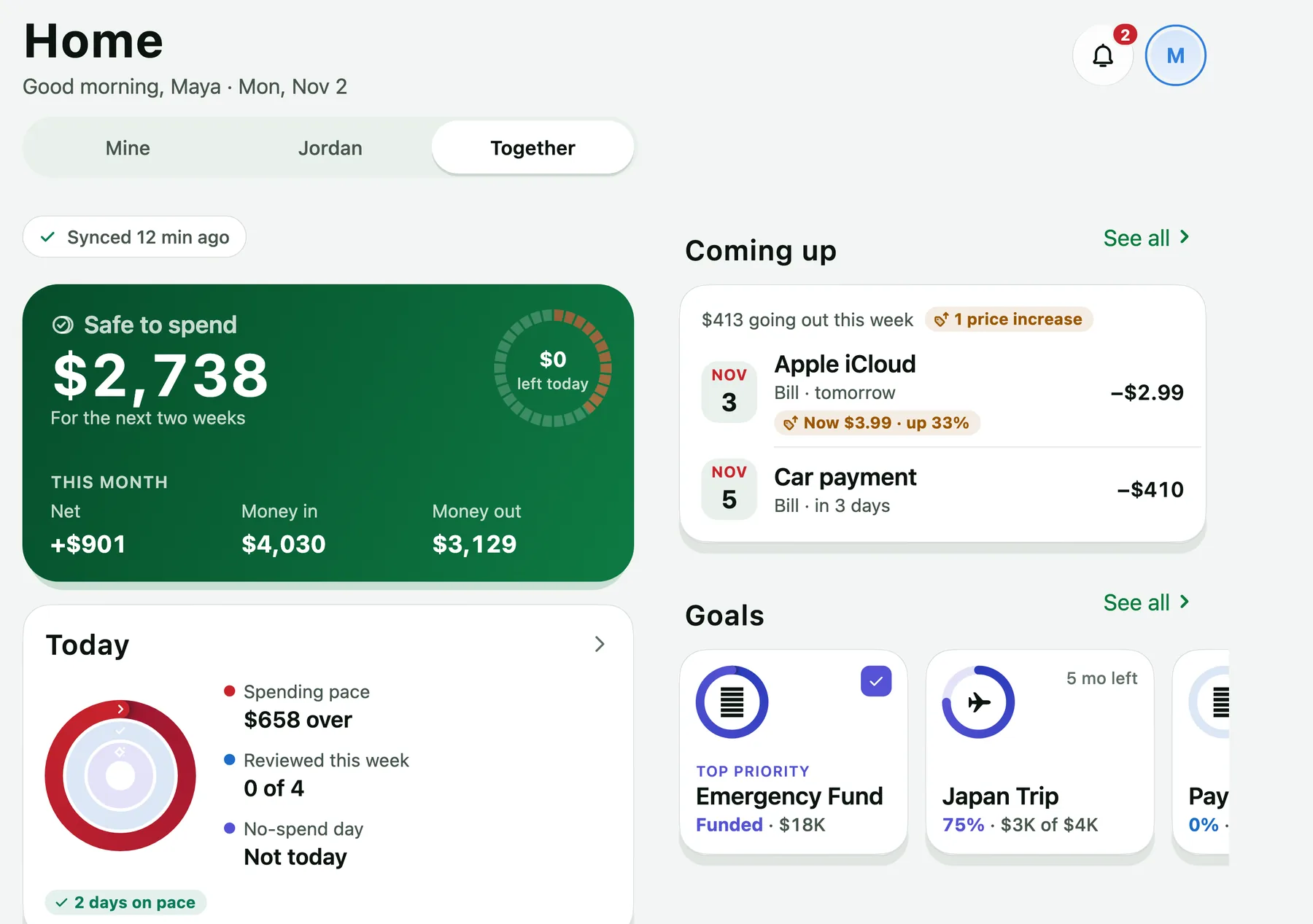
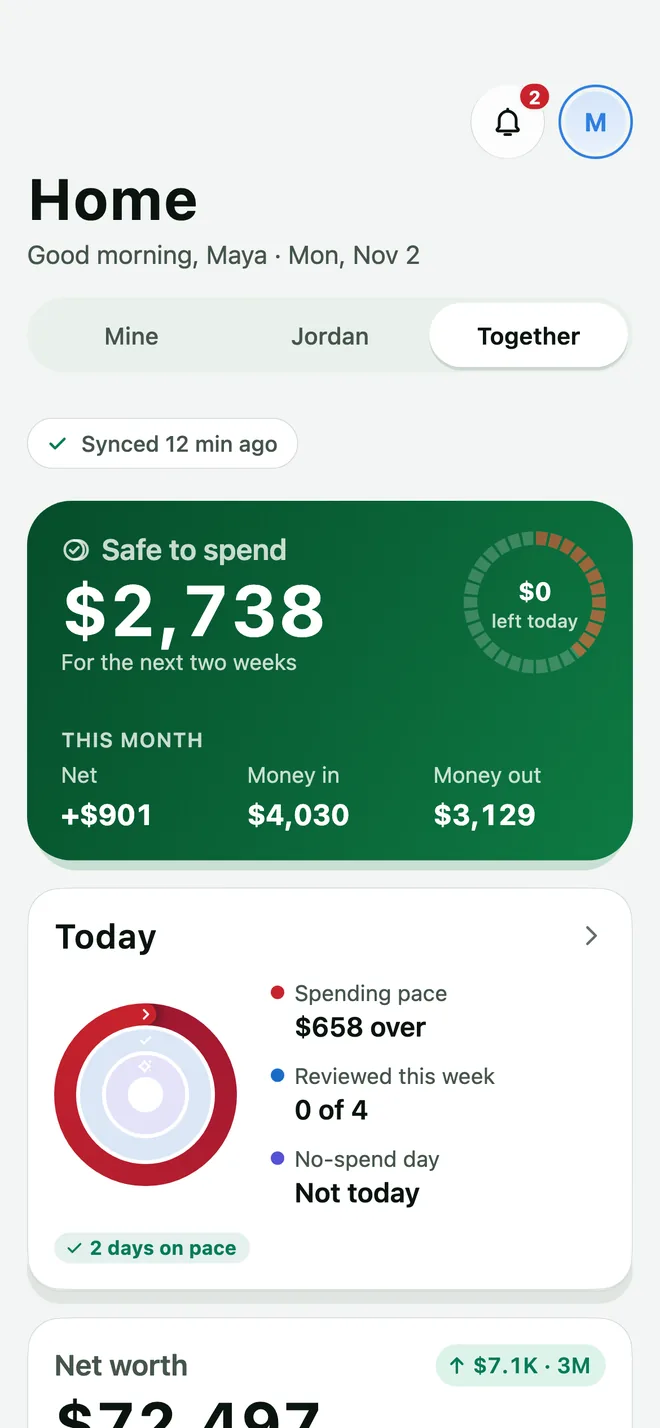
Open the app and the answer is right there: how much you can spend before payday once bills and savings are covered.
- Safe to spendWhat's free to spend until payday, with this month's money in, money out and net.
- Today at a glanceYour spending pace, transactions to review, and no-spend days.
- Coming upThe bills due this week, with price increases called out.
- Mine, yours, togetherSwitch between your view, your partner's and the whole household.
Every dollar, accounted for.
Transactions, budgets, recurring bills and cash flow, each with a screen built for it.
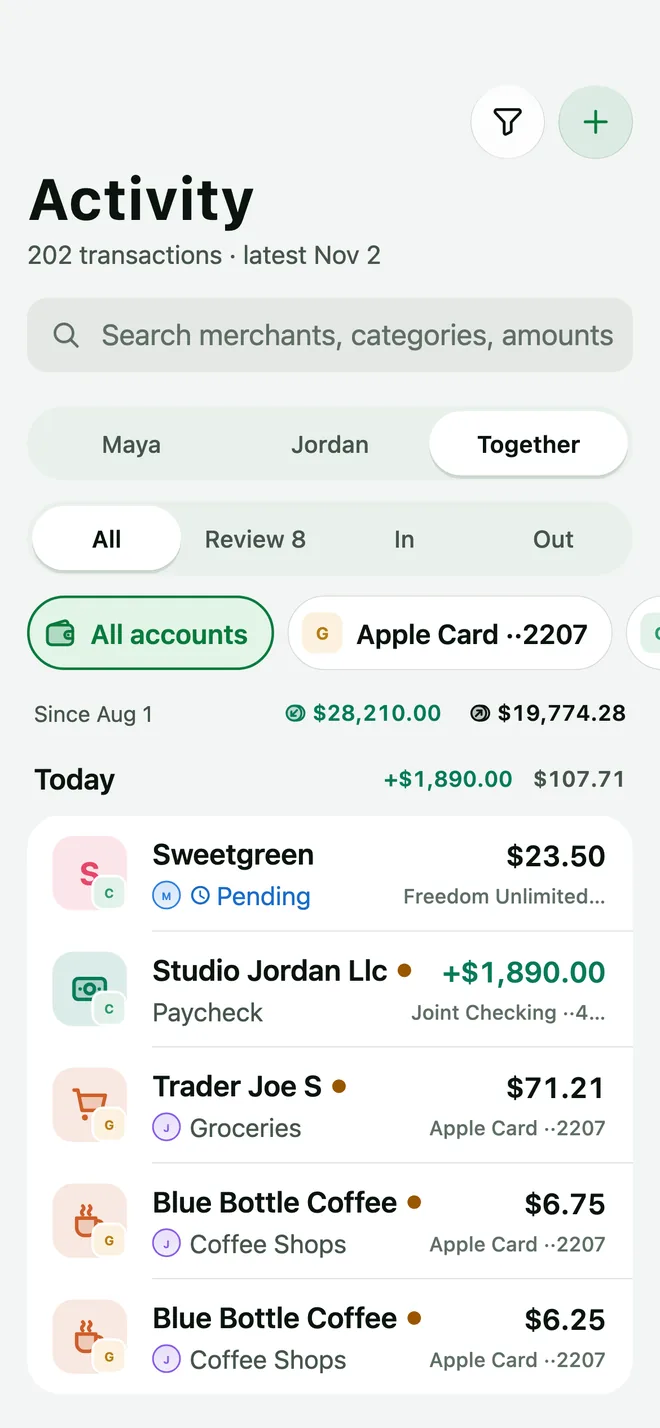
Activity
Every transaction from every linked account in one list. Search by merchant, category or amount, filter by person or account, and work through the ones waiting for review.
- Review queueNew transactions wait for a quick look so nothing slips by.
- Quick addLog a cash purchase in a couple of taps.
Budget
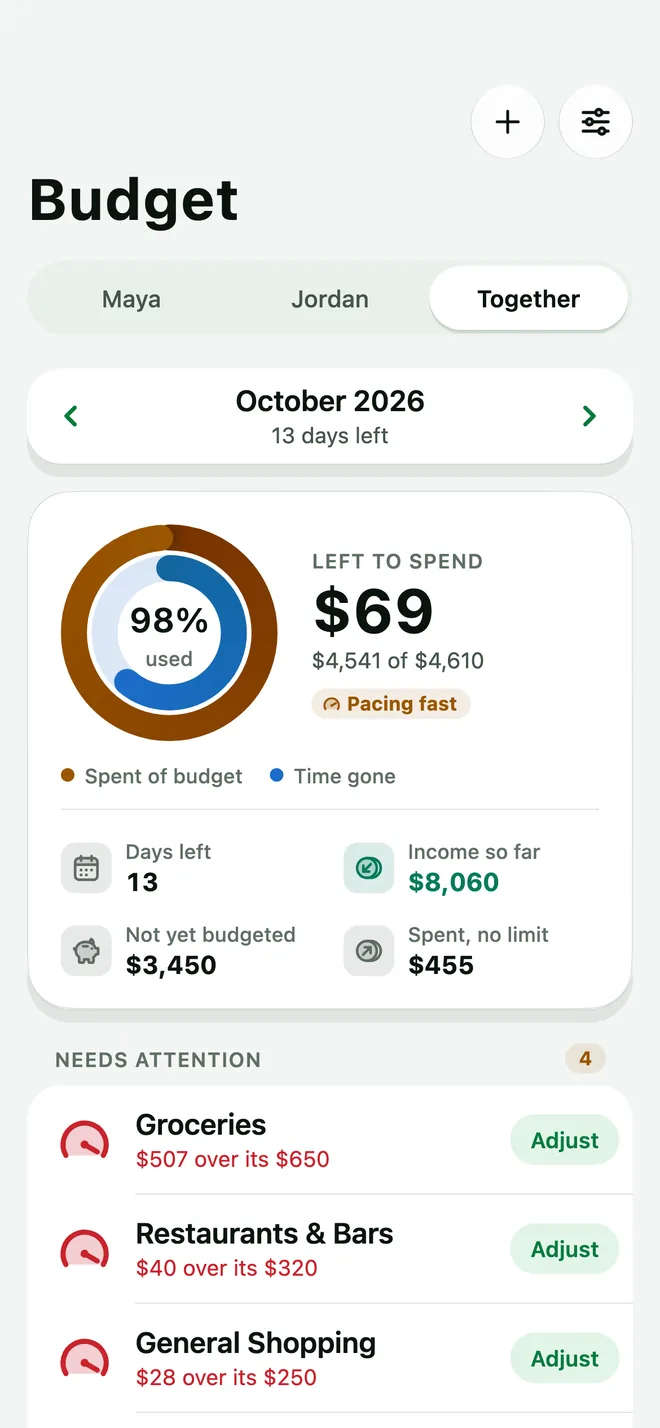
See what's left for the month, whether you're spending faster than the days are passing, and which categories need attention, with a one-tap adjust.
- Left to spendSpent against budget, and time gone in the month.
- Needs attentionCategories running over, flagged before the month ends.
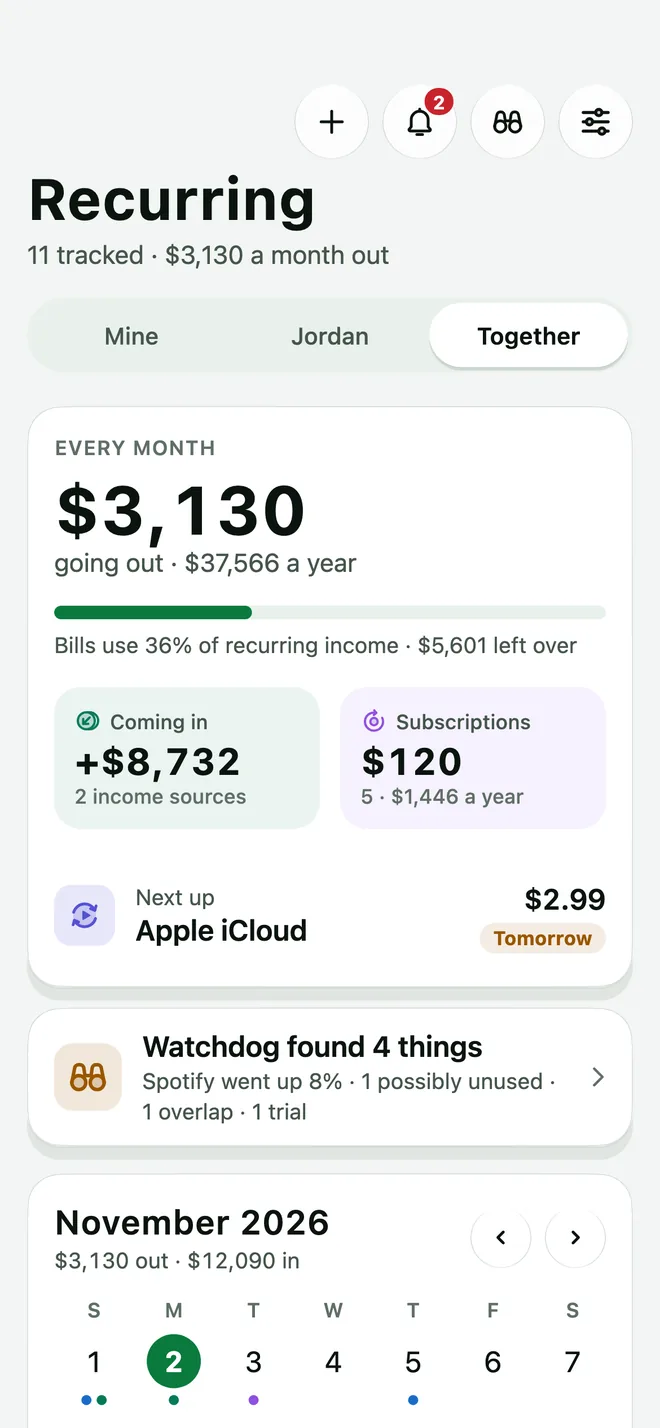
Recurring
Bills, subscriptions and paychecks in one place, with what goes out each month and a calendar of what's due.
- Monthly totalWhat recurring bills cost a month and a year.
- Renewal calendarEvery charge on the day it's due.
Cash flow
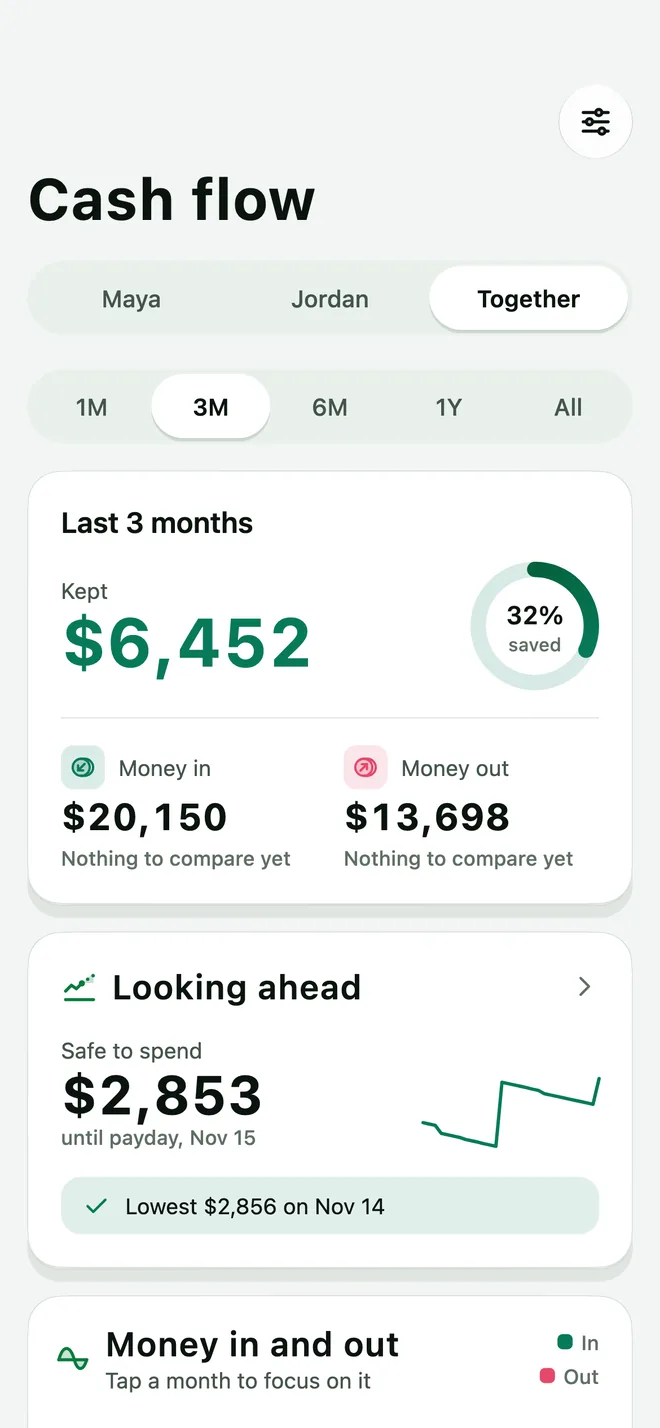
What came in, what went out and how much you kept, over one month, three, six, a year or all time.
- Savings rateHow much of what came in you kept.
- Looking aheadSafe to spend and the lowest balance coming up.
See the next 90 days before you live them.
Contamos projects your checking balance from your bills, paydays and usual spending, shows a likely range, and marks the lowest point against your buffer.
- 30, 60 or 90 daysLook as far ahead as you need.
- What ifSlide everyday spending up or down and watch the line move.
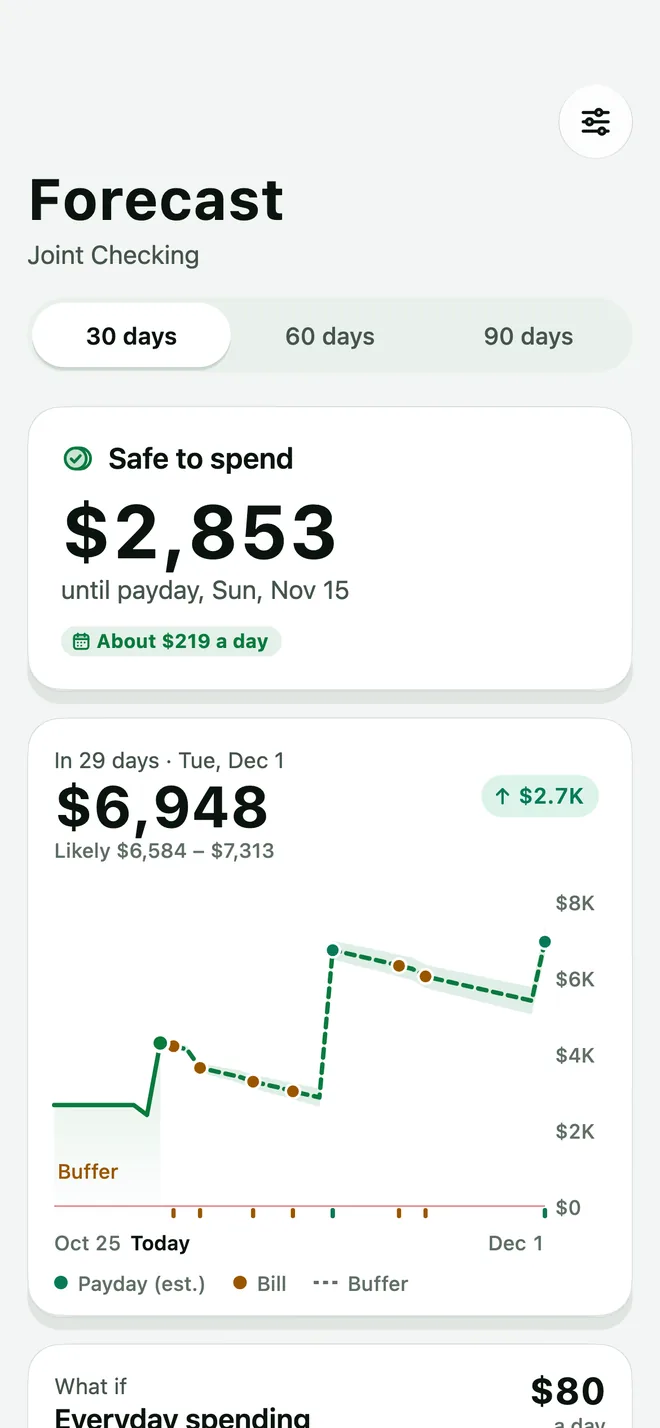
Sample household. Runs in your browser.
Forecasts in the app are estimates from your own data and can be wrong.
Catch the charges that creep.
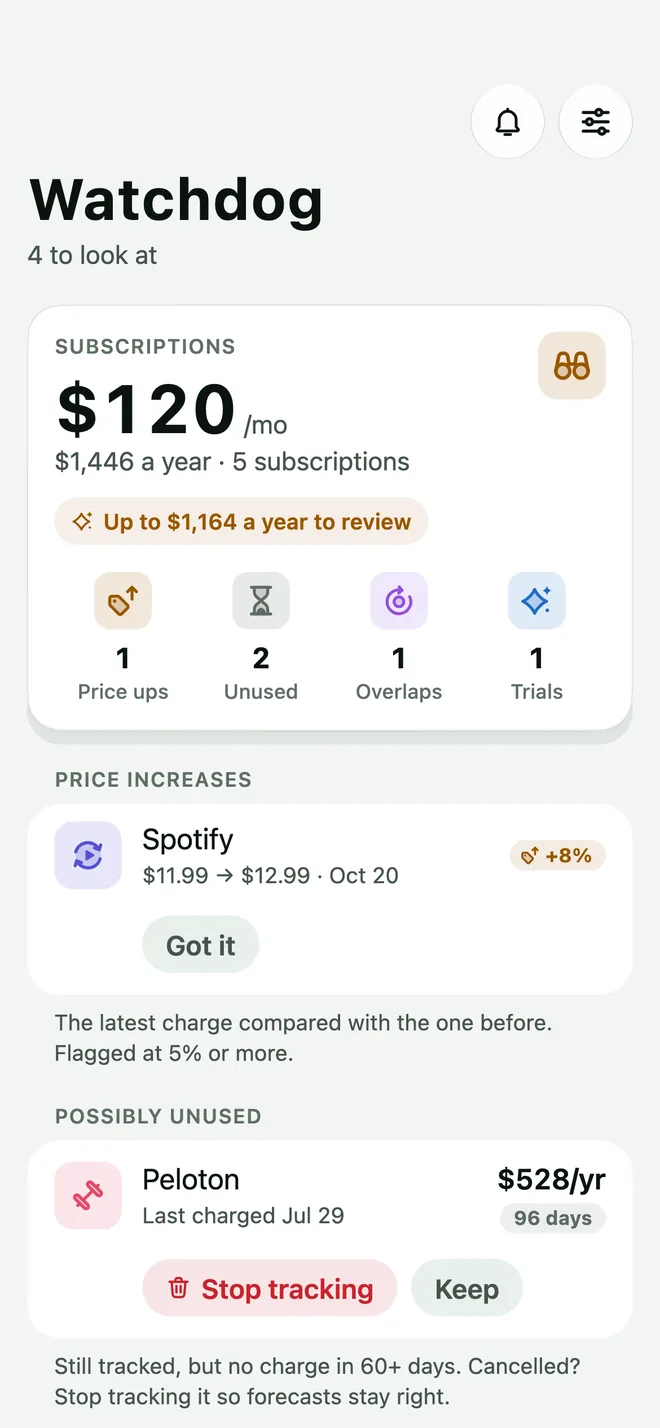
Watchdog keeps an eye on your subscriptions and tells you when something changes, so a forgotten membership doesn't cost you all year.
- Price increasesThe latest charge compared with the one before, flagged at 5% or more.
- Possibly unusedMemberships with no charge in 60 days or more, so you can stop tracking or keep them.
- Overlaps and trialsServices that do the same job, and free trials about to turn paid.
Save for what's next. Pay off what's behind.
Set goals together, see when you'll be debt-free, and learn how retirement savings add up.
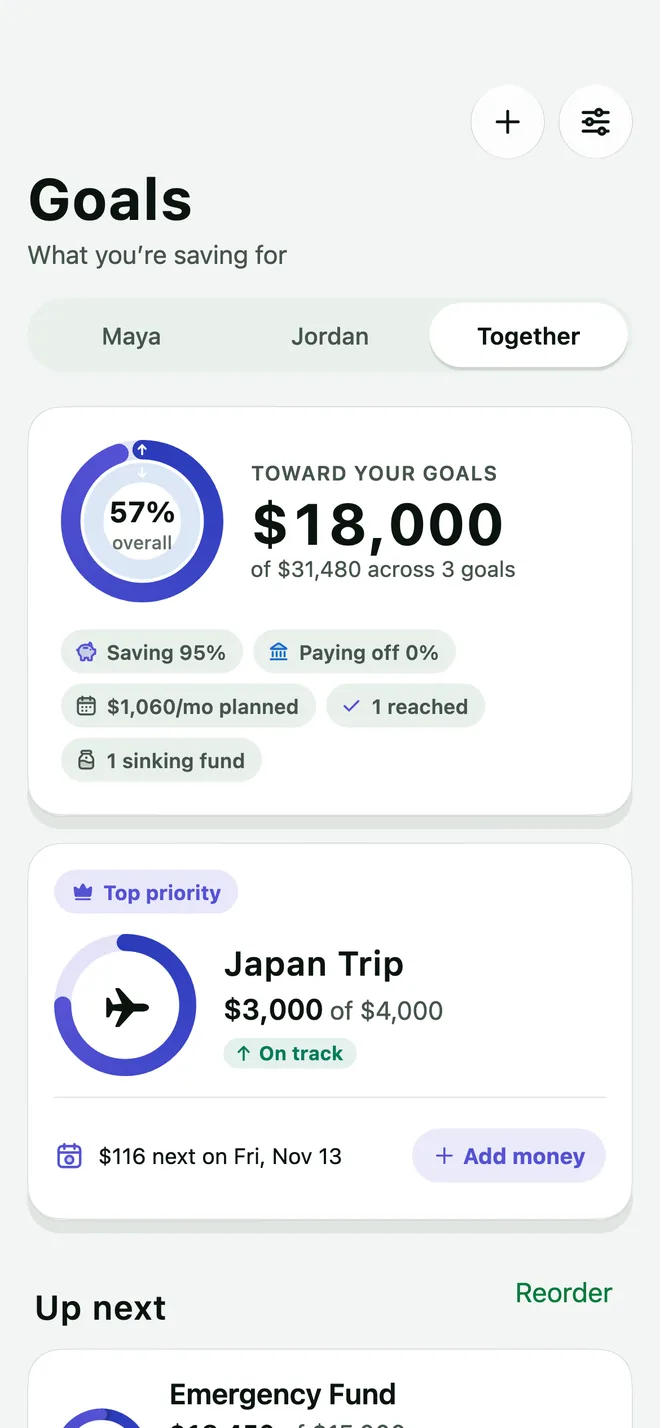
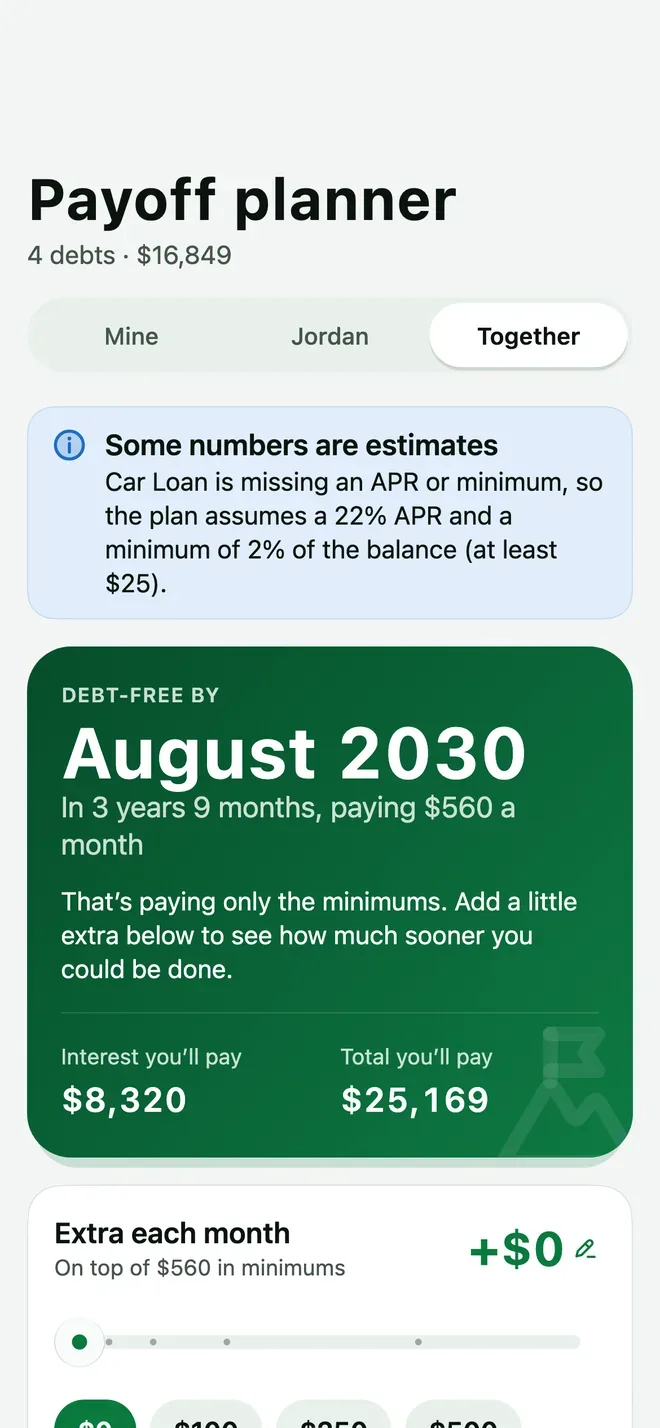
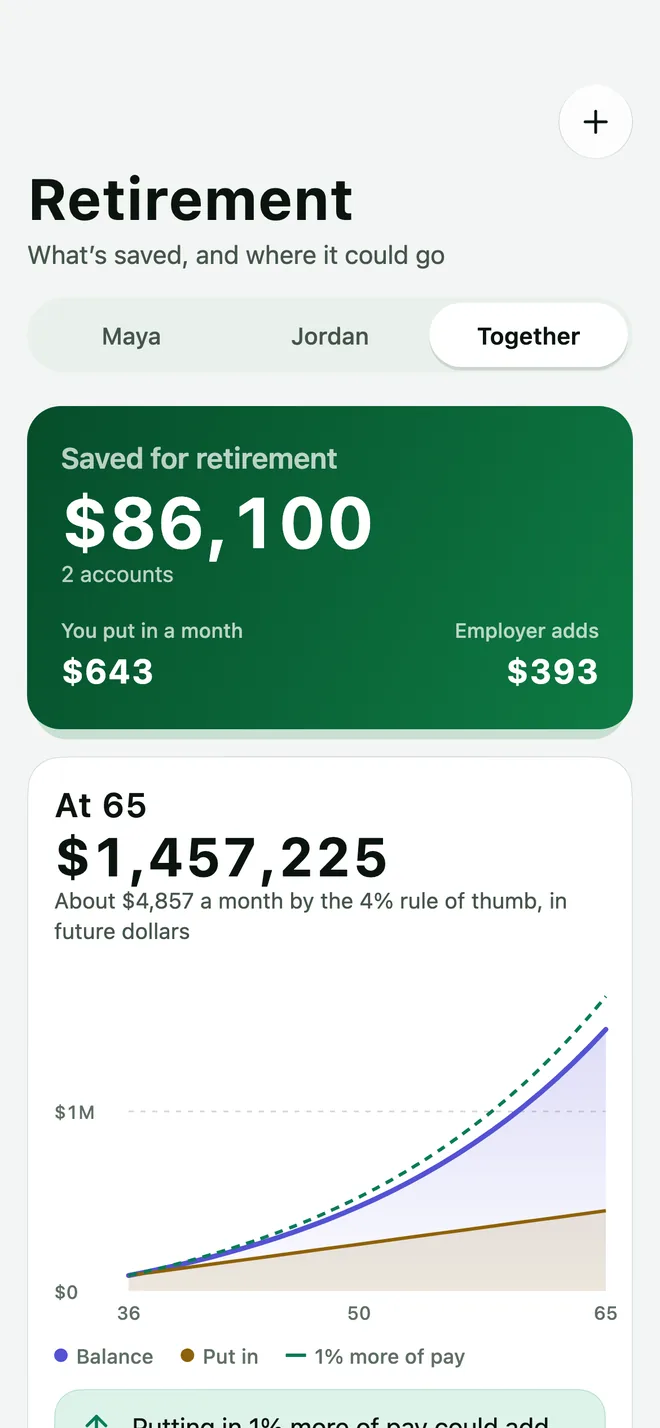
Two panes on iPhone Duo.
Unfold iPhone Duo and Contamos splits right at the fold, each pane on its own half. Fold it and the same screens fit the cover. On any other iPhone, it all works on one screen.
Better together.
Money is easier when you look at it together. Invite your partner or family and everyone works from the same numbers.
Invite your partner
Share your household's invite code and your partner joins with their own login.
Mine, yours, together
Home, Activity, Budget, Goals and more can show just you, just your partner, or the whole household.
Side by side
See who spent what at a glance, without turning money into a scoreboard.
Accounts and net worth
Checking, savings, cards, loans and retirement accounts, with your household's net worth over time.
Alerts
A heads-up when a card nears its limit, a budget runs low, or a bill is about to renew.
Cards
Balances, limits and due dates for every card, plus payment reminders.
We never see your bank password
You sign in to your bank through Plaid. Contamos gets read-only data, never your login.
Locked to your household
Database rules check every read and write, so only members of your household can reach its data.
Encrypted in transit and at rest
TLS on every connection, and encryption at rest for our database and file storage.
No ads, no trackers
No advertising or analytics SDKs in the app, no tracking cookies here, and we never sell your data.
Questions, answered.
Is Contamos a financial advisor?
No. Contamos is a budgeting and tracking tool. It isn't a bank, an investment adviser, a broker or a tax professional, and nothing in the app is financial, investment, tax or legal advice. For decisions like those, talk to a licensed professional.
How does bank linking work?
We use Plaid, which connects to thousands of U.S. banks. You sign in to your bank inside Plaid's secure screen; Contamos only receives account names, balances and transactions. You can disconnect a bank from Settings at any time.
What can my partner see?
Everyone in a household sees the household's accounts, transactions, budgets, bills and goals. That's how sharing works, so only invite people you trust and only link accounts you're happy to share.
What does it cost?
Contamos will be free during its public beta on TestFlight, which opens soon. If we introduce paid plans, you'll see the price in the app before you pay, billing goes through your Apple ID, and you can cancel any time in your iPhone's settings.
Do I need an iPhone Duo?
No. Contamos runs on iPhone. On iPhone Duo it uses both halves of the inner screen, and the cover screen when folded.
How do I delete my data?
You can disconnect banks and delete accounts or transactions in the app at any time. To delete your Contamos account entirely, see Delete your account.
Get on the same page.
Contamos is almost ready. The public beta opens on TestFlight soon.